

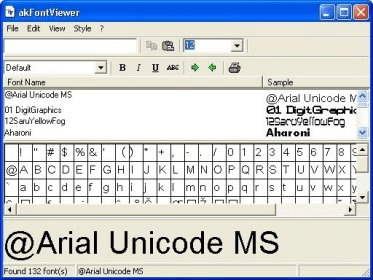
AK Font Viewer is a very easy to use and handy tool for everyone. But it is most useful for those who often have to type data, who are documents writer, who are cards designer, who likes regularly playing with fonts. AK Font Viewer can really save their working time on computer for the same job. So they can go for a date with their partner if their partner is also in the same job and using AK Font Viewer. AK Font Viewer is nothing but it can detect and list all fonts currently installed on your system. By using this utility you can view all your fonts quickly and easily. In its main window at the top left corner there is a small sample text box in which you can type your sample text to view how your it will look with the selected font. There are two type of view. In the bottom view you can see your text in the selected font and settings like Underline, Bold, and Italic etc. but with large display. But in the Fonts list box you can view your sample text with original size and settings for all fonts concurrently. So you can easily and quickly select the best font and best setting according to your requirement. AK Font Viewer also display the Character Set of each font so you can easily find out that which font have complete characters set and which is not.






Comments